

Connect the business systems you already use.
Information should move without the copy and paste. We check what your systems allow, then build the connection.
Systems we have already brought together.
We connect existing business systems after checking the access each one allows. Rooftop, live at a Melbourne dealership, brings several systems into one reporting view.
Sources
- Dealer management system
- Sales log
- Phone call records
- Trade-in valuations
- Website leads
Brought together
Rooftop checks and combines them through the day.
Seen on office screens, phones and the showroom and workshop TVs. Demonstration data, made-up names
Five kinds of system, one view
A dealer management system, a sales log, phone call records, trade-in valuations and website leads, read through the day and combined in Rooftop.
Live at a Melbourne new-car dealership
Read the projectWebsite enquiries, straight to the owner
Enquiry forms on the websites we host deliver each enquiry to the owner's inbox by email.
Live
Read the projectMore examples and screen sizes
One implementation: dealership systems into Rooftop.
Rooftop reads information from the dealership's existing systems, checks and combines it, and presents it in reporting views.
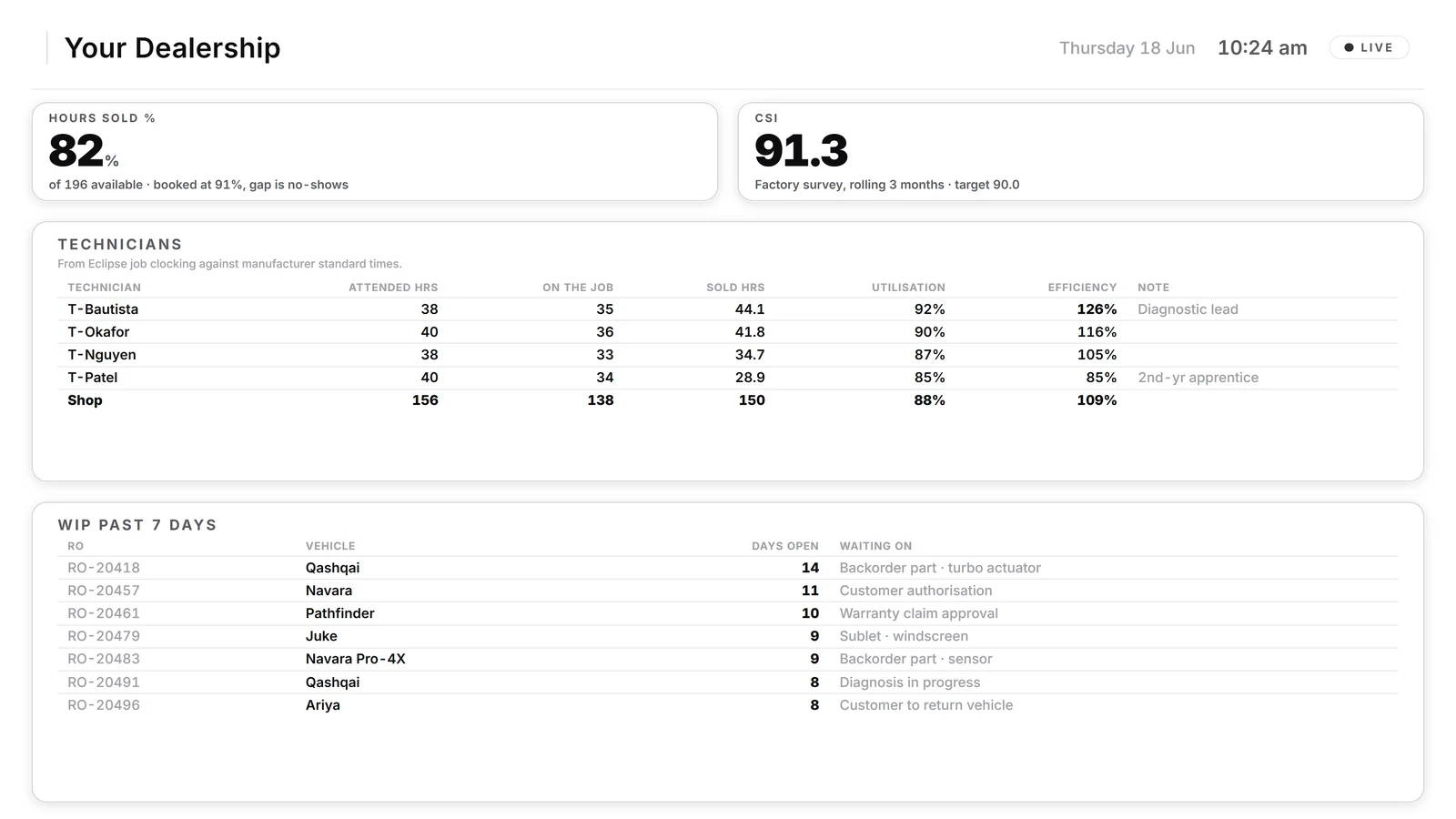
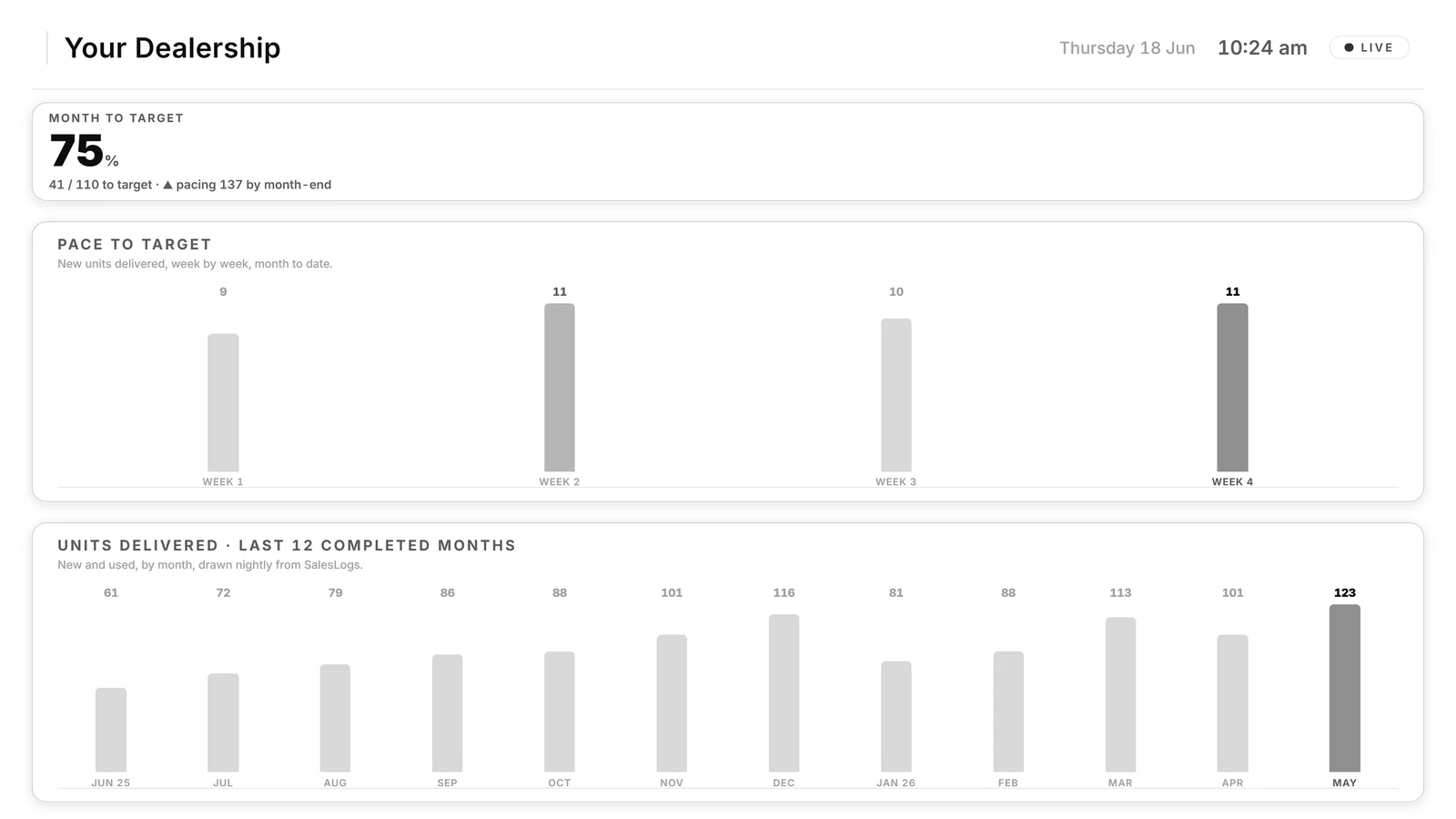
This example demonstrates reporting connections. A connection that writes changes back into another system needs its own scope and access check. Demonstration data, made-up names
Decide what moves, then build the link.
The scope depends on the records, rules and access involved. These are the things we settle before building it.
What moves, and where
which records, in which direction, how often
The source of truth
for each piece of information
The access each system allows
checked before we quote
Missing or wrong data
we agree how it is spotted and what happens to it
When a connection fails
how it is noticed, and who is told
Read-only where that is enough
we do not write to a system unless the job needs it
Common questions
Do we have to replace the software we use?
No. The point is to keep what works and connect it. Rooftop, for example, reads from a dealership's existing systems rather than replacing them.
Will it change data in our systems?
Only if the job needs it, and only what is agreed in the written scope. Where reading is enough, the connection is read-only.
What happens if a connection breaks?
Support, and who looks after what, are set out in the proposal before go-live, so there are no surprises afterwards.
How much does an integration cost?
It depends on the job. You get a written scope and a fixed price before any development starts, and nothing is built until you agree it.
Then build, test, release and handover. See how custom work runs
Can you connect our systems?
Sometimes the honest answer is no: every system allows different access, and some allow none. Before we quote, we look at your systems, the access they allow and what you want to move, then tell you plainly what we can connect, what we cannot, and what it costs.
Custom integration, or a ready-made connector?
Check a ready-made connector first: does it support the records, fields, direction, frequency and failure handling you need? Custom integration earns its place when no connector exists, when the standard one leaves out fields you rely on, or when the information needs checking on the way through. Our system integration checklist lists what to write down first.

Tell us which systems should be talking.
A rough description is enough.